

HomeMod

Mod / 01

Manta

Redefining UI.

The shared UI enginebehind Minecraft screens.

From the management screens and station departure boards of Train System Utilities to the control screens of Spatial Audio System, Manta is the UI engine shared across multiple BelugaLab mods.

It renders every kind of screen, from menus to displays inside the world, through one common system.

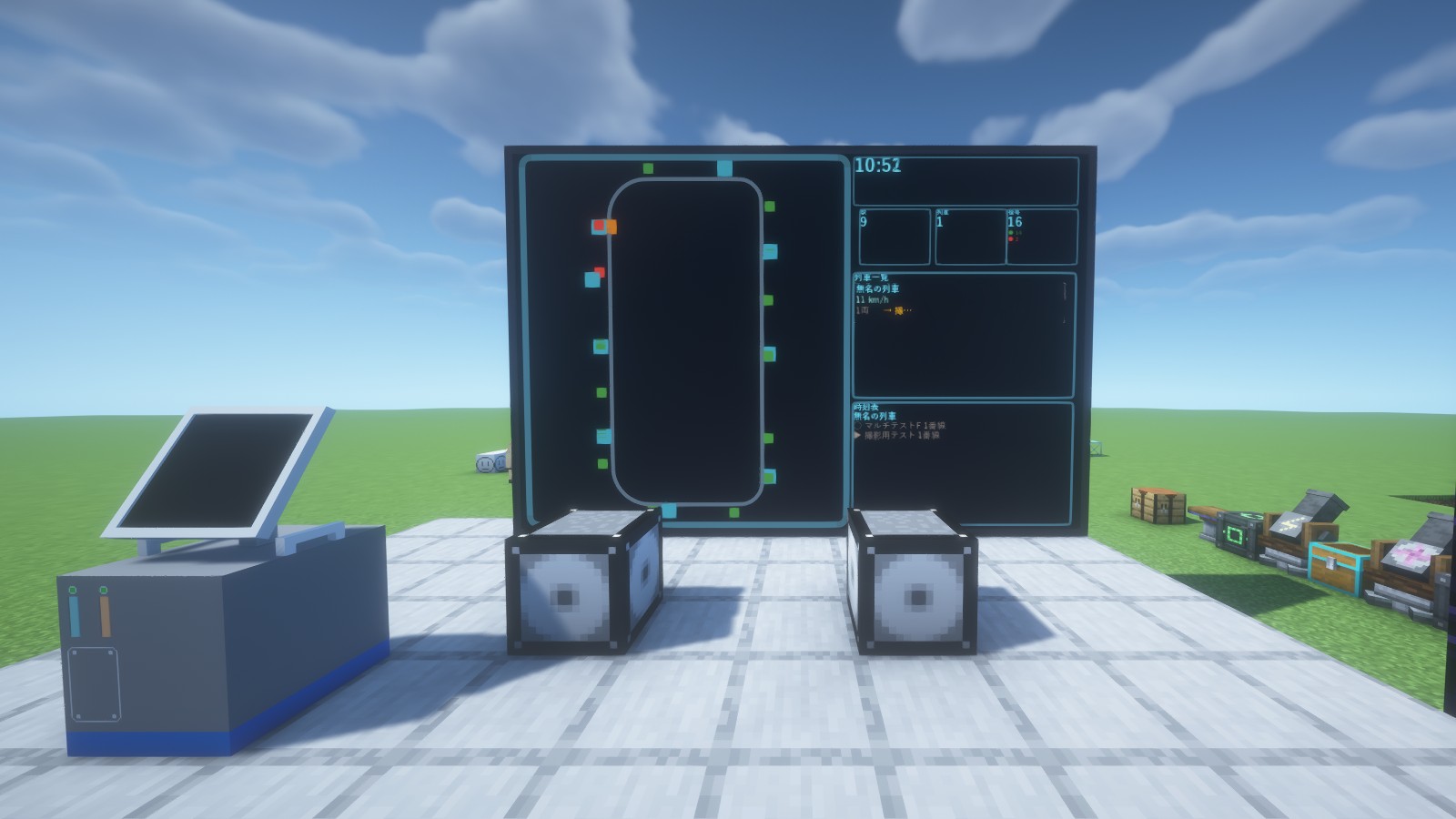
A wall-sized monitor standing in the plaza in front of a station. On the left, a loop route map with its stations; on the right, the time, the number of stations, trains and signals, a train list and a timetable. A speaker and a Management Computer in the foreground
The large monitor installed in front of the station and the management screen you open in your hands are both rendered by the same Manta. All images shown here were captured in actual Minecraft.

Point of view

Consistency is built into the foundation.

No rebuilding for every screen.Grow a shared foundation.

Rather than developing a different UI for each mod, Manta aims to deliver a consistent experience through a shared system.

New features and visual elements are implemented as shared Manta features wherever possible. The improvements gained there are carried over to the other mods, so the more development goes on, the more polished the UI as a whole becomes.

Consistent Interface

The same feel on every screen.

Manta provides shared UI components such as buttons, toggles and dialogs.

Controls, animations and the way hints are shown are shared as well, so different mods can be used with the same feel.

What you learn on one screen carries straight over to another.

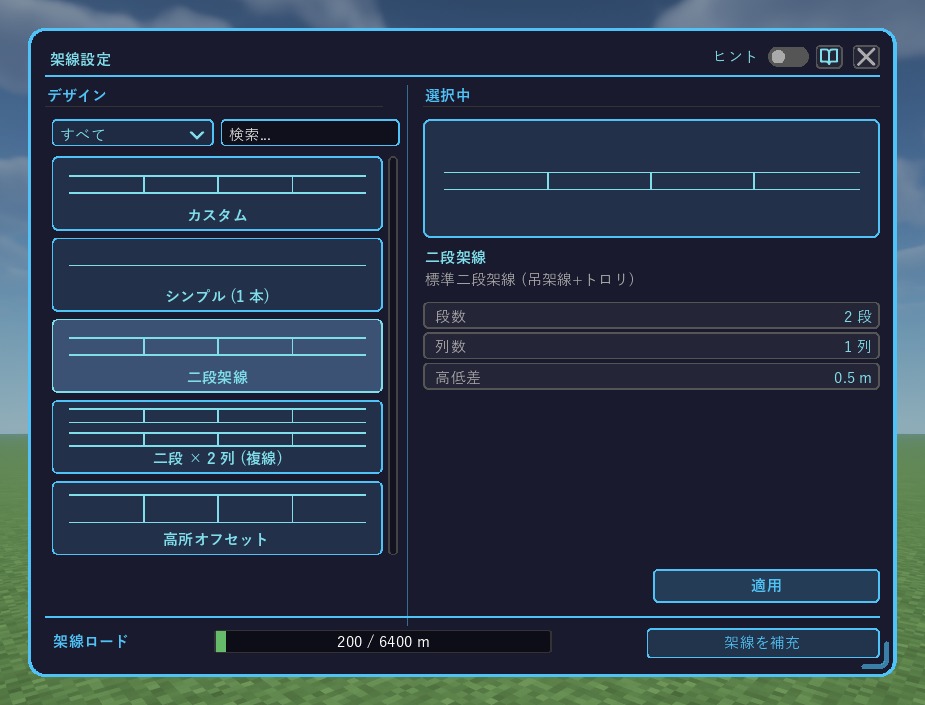
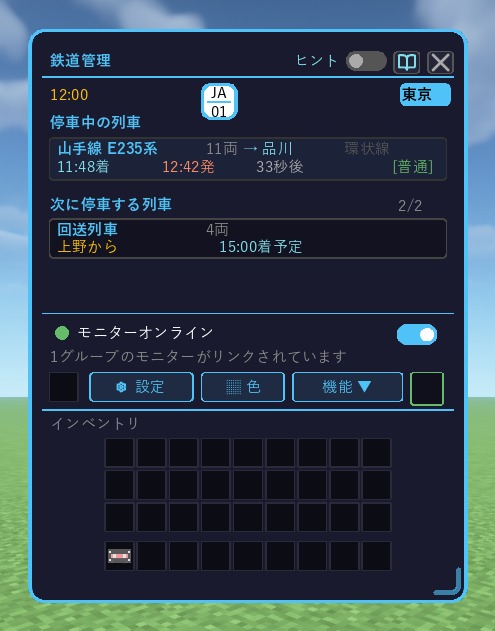
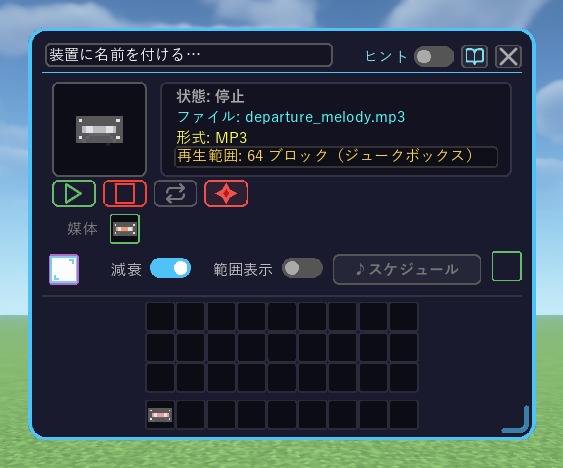
Two mods, three screens. One shared UI system.

Train System UtilitiesWire Settings
The Wire Settings screen. On the left, the list of designs; on the right, the tiers, rows and height difference of the selected two-tier catenary; at the bottom, the remaining wire in Load Wire. At the top right, the hint toggle and the close button
Train System UtilitiesRailway Management
The Railway Management screen. A clock and the station symbol, the train currently stopped and the next train to stop, and the connection status of the monitors. At the top right, the hint toggle and the close button
Spatial Audio SystemPlayback Device
The Playback Device screen. A name field, the status, file, format and playback range, play and stop buttons, and toggles for fade and range display. At the top right, the hint toggle and the close button

Screen & World

Menus, and screens in the world.

UI in Minecraft is not limited to menu screens.

Inside the world, too, there are many kinds of screens, such as station departure boards and large monitors showing service information.

Manta also supports these displays in the world. By using the same rendering system as ordinary control screens, it delivers consistent design and visuals wherever they are shown.

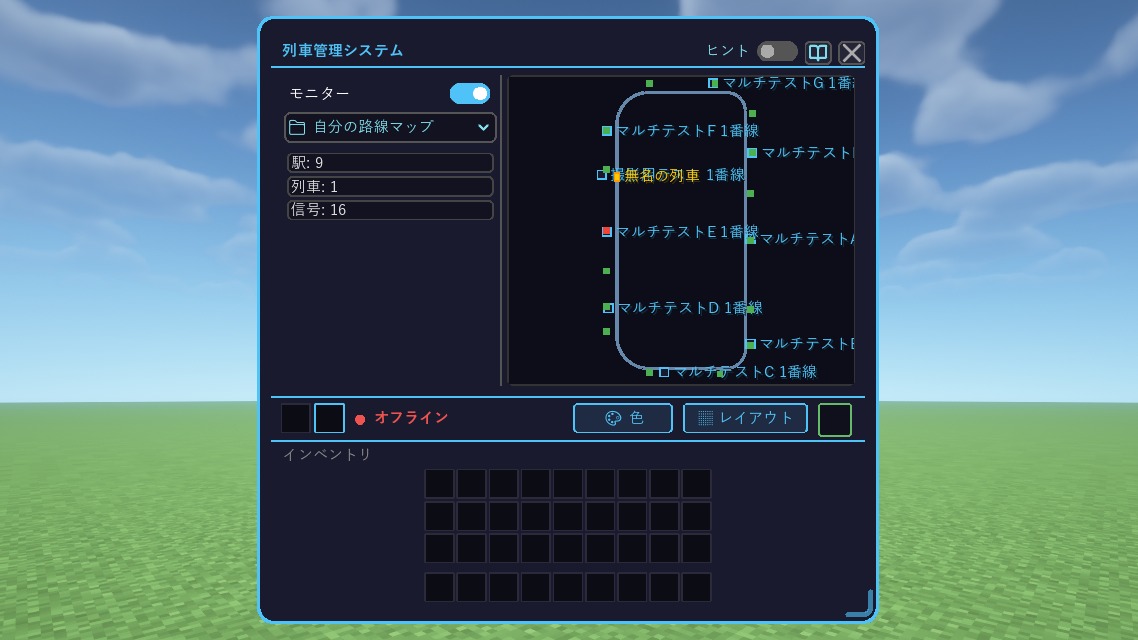
The Train Management System screen. On the left, the number of stations, trains and signals; on the right, a loop route map with station names
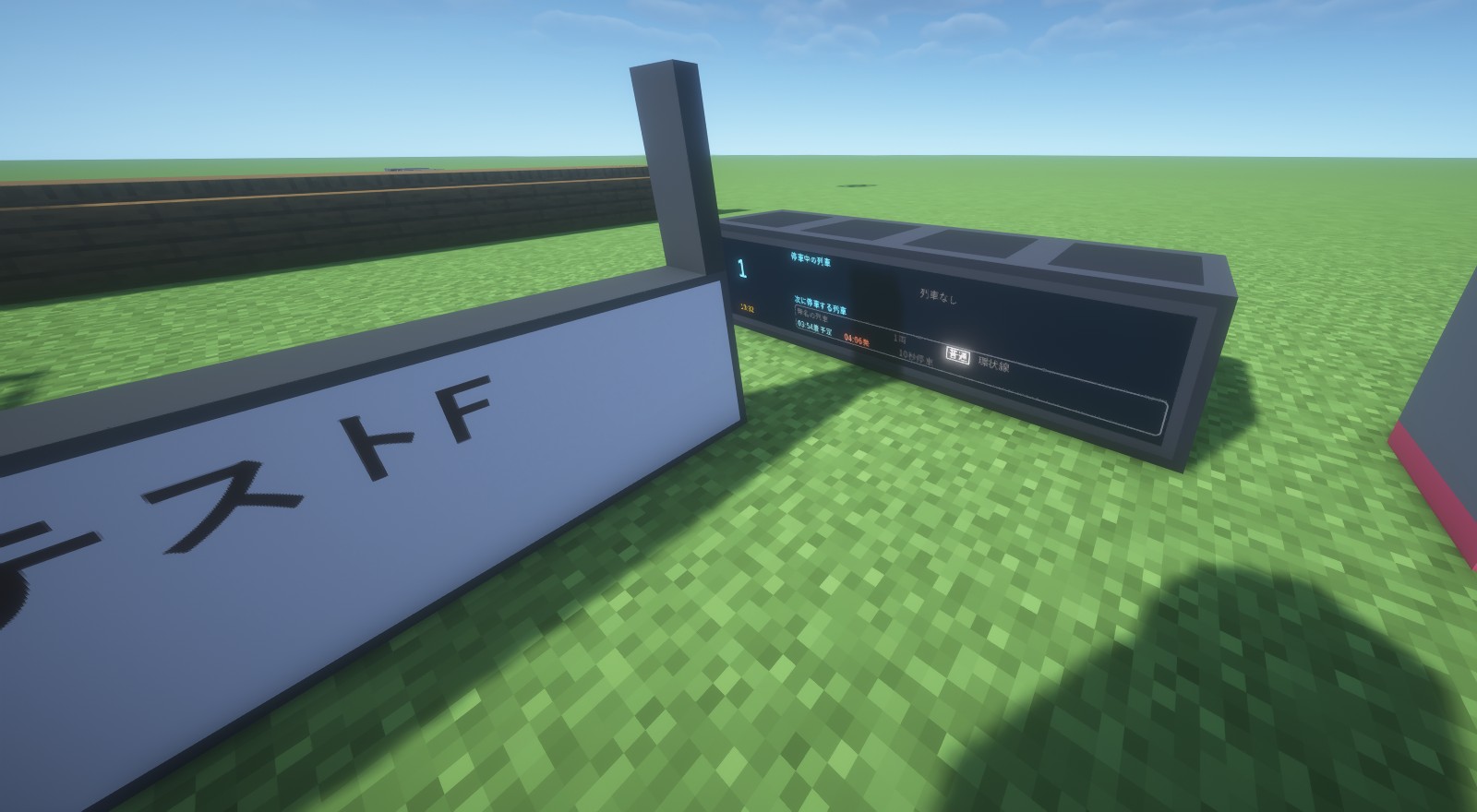
A departure board placed on a grassy field, with fields for the train stopped at Platform 1 and the next train to stop. A station name sign in the foreground

In-game Guides

Check how things work without leaving the game.

There is no need to switch to a browser every time you look up how to do something.

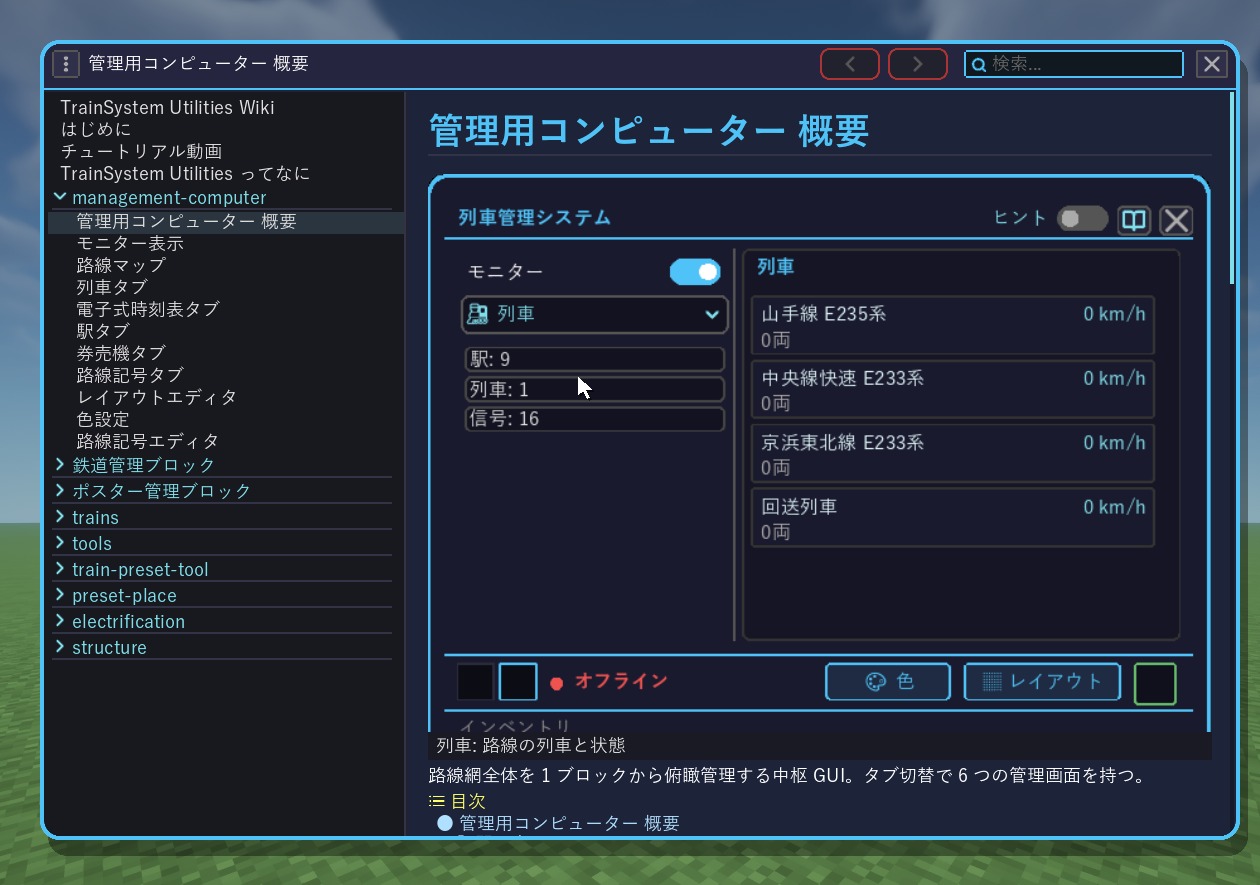
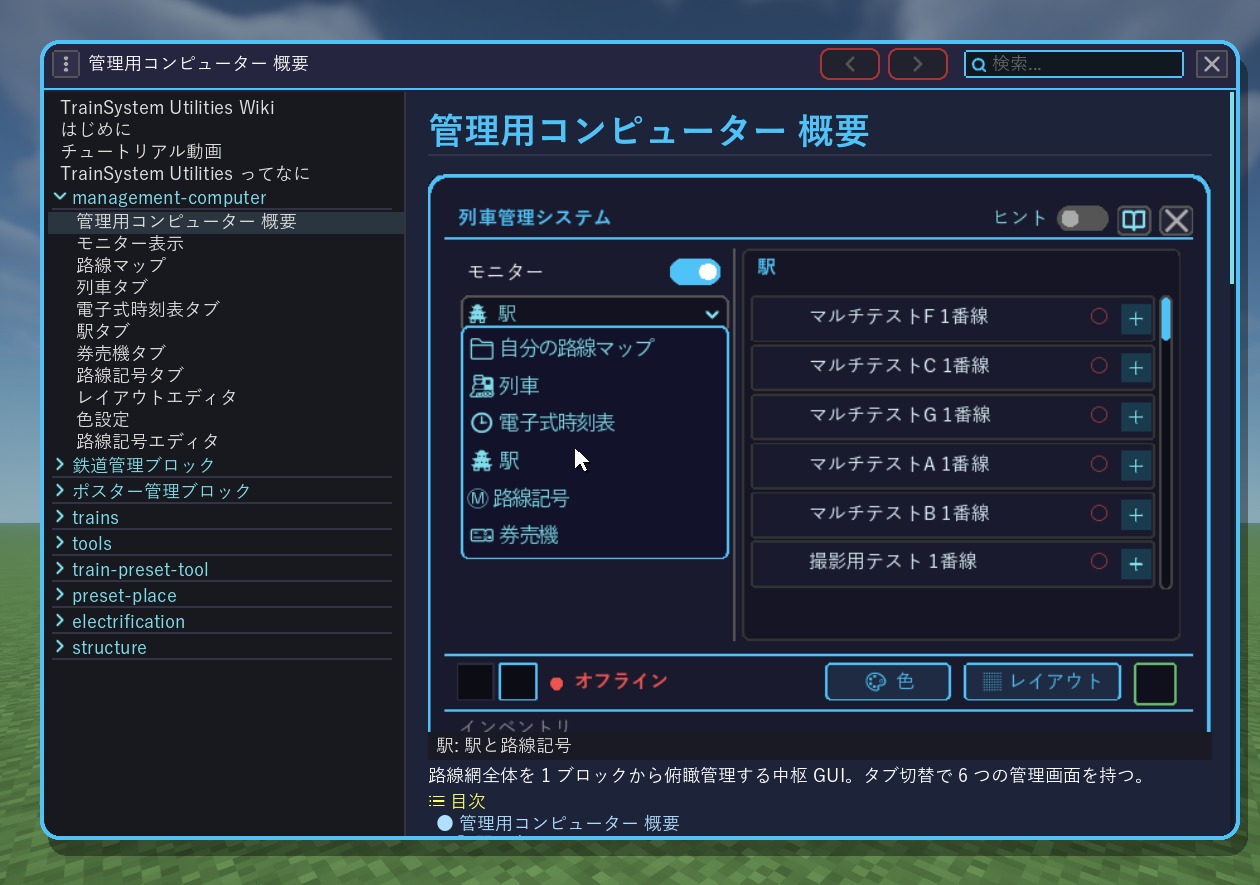
Manta supports an in-game Wiki, so explanations, images and how-to guides can be read inside Minecraft.

Guides can also embed UI that actually works. The screen is operated automatically along with the explanation, and the content and guidance text change step by step.

Because the flow of operations can be seen on screen, even complex features can be understood by watching them actually work.

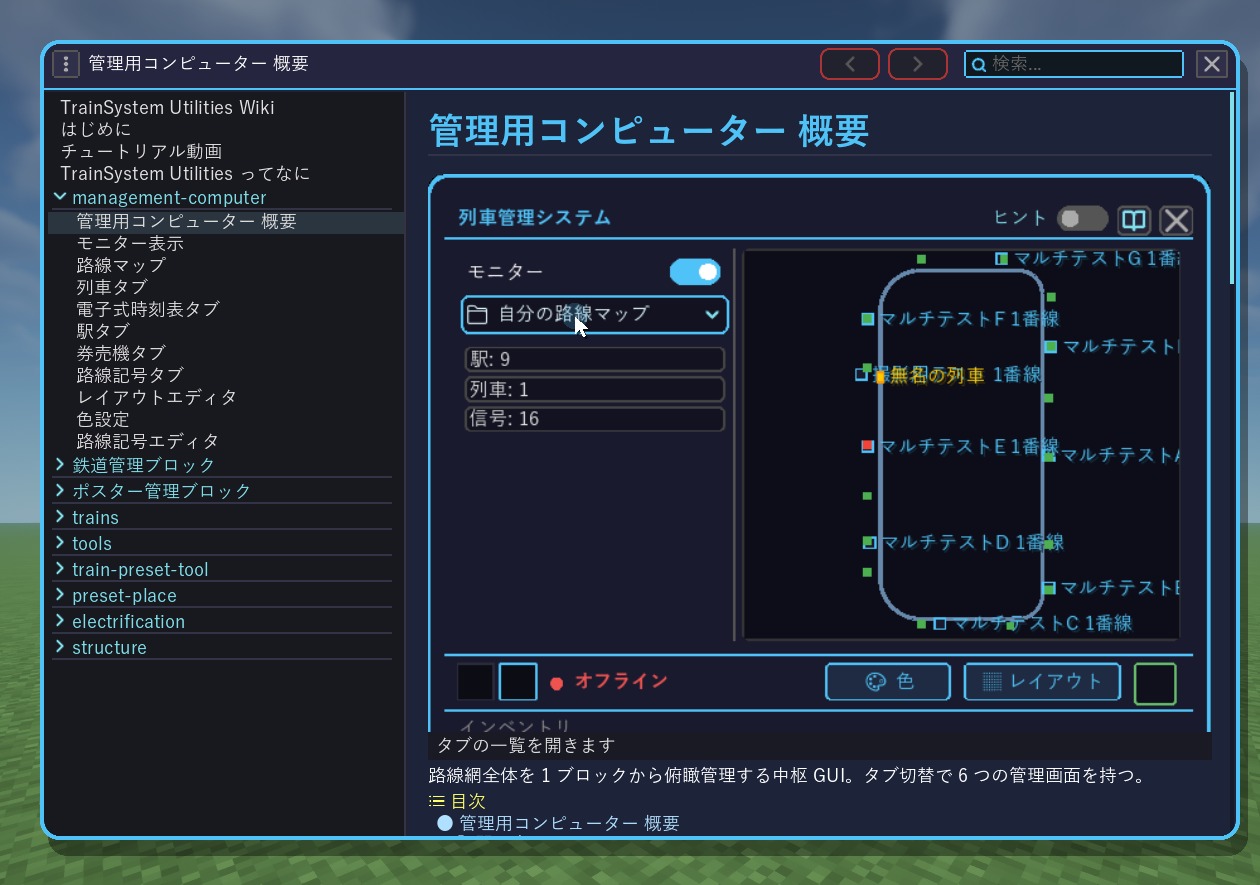
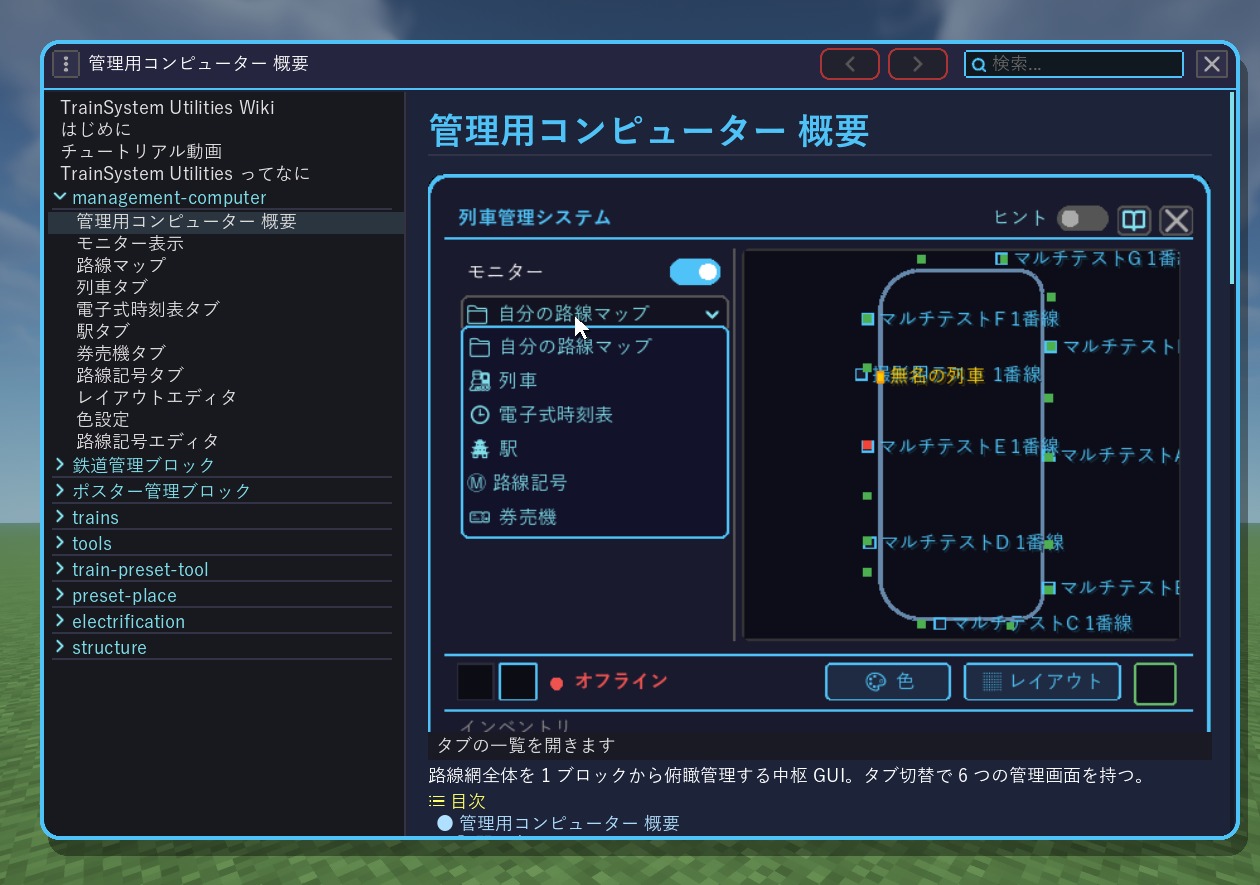
The in-game Wiki page "Management Computer Overview". The Train Management System screen runs inside the page, with the cursor on the tab switcher. The strip at the bottom reads "Open the tab list"The same page, with the screen's tab list openThe same page. The screen has switched to the Trains tab and shows the list of trains. The strip at the bottom reads "Trains: the trains and their state"The same page. The tab list is open again over the Stations tab list. The strip at the bottom reads "Stations and their line symbols"

Efficient Rendering

Only the work that is needed, only when it is needed.

Improving UI performance is not only about rendering speed; reducing unnecessary work matters too.

Manta is designed to keep unnecessary updates to a minimum when nothing on the screen has changed.

By doing the necessary work when values or content change, it aims to keep the load on the game low even on complex management screens.

Multiplayer Consistency

Sharing information correctly in multiplayer.

Something that works correctly in single player can show different content to each player in multiplayer.

Manta is designed to manage screen state with the server-side information as the reference.

Even when several players are in the same world, it puts weight on keeping information consistent and showing the same state.

Verification

Confirming behavior in the actual game.

Whether a screen is rendered correctly cannot be judged from the code alone.

With Manta, screens are displayed in an actual Minecraft environment to confirm that they look and respond as intended.

We also check that adding features or changing the internal structure has not caused unexpected changes to existing screens.

Keeping existing behavior intact, not just adding new features, is an important standard of development.

Generations

Seven generations of refinement.

Manta's internal design has evolved through seven generations so far.

Each generation kept the existing features while gradually improving rendering performance, shared functionality, maintainability and more.

The current seventh generation focuses less on adding new features and more on integrating existing ones and cleaning up duplicated implementations.

Rather than implementing the same purpose in several ways, it consolidates them into shared mechanisms as far as possible, aiming to reduce complexity and make future development and improvement easier.

Development themes of each generation

  1. 01Generation 01 — RenderingImplemented the basic functions for rendering UI.
  2. 02Generation 02 — ComponentsShared the building blocks of the UI so screens can be developed efficiently.
  3. 03Generation 03 — OptimizationRevised the internal structure for a lighter footprint and better stability.
  4. 04Generation 04 — In-game DocumentationBuilt the system for showing videos and the Wiki inside the game.
  5. 05Generation 05 — Visual SystemShared visual elements such as animations, shapes and icons.
  6. 06Generation 06 — Rendering EfficiencyReduced unnecessary work when nothing on the screen changes.
  7. 07Generation 07 — IntegrationIntegrated existing features and cleaned up duplicated implementations.

Improvements to Manta reach users through updates to each mod that uses it.

Principles

What we value in developing Manta

01

Build on what already exists

When developing a new feature, we first consider whether it can be achieved by combining existing mechanisms. We increase what can be shared and avoid implementing the same feature over and over.

02

Carry existing features forward

Even when the internal structure changes, keeping existing features is the rule. When moving to a new design, we make sure the controls and features that came before are not lost.

03

Check compatibility with existing mods

When Manta is updated, we also check compatibility with the mods already released. When introducing a new mechanism, we verify its effect on existing screens and features, with an emphasis on keeping a stable environment.

04

Keep controls a comfortable size

Interactive elements such as buttons have a shared minimum size. Being easy to actually operate, not just the look of the screen, is an important requirement of UI design.

Where it lives

Mods that use Manta

Manta is not distributed as a standalone mod.

It is built into the mods BelugaLab develops, and you can use Manta by installing any of those mods.

It is currently used in the following mods.

The Manta version used in each mod can be found in the distribution history.

Distribution History

8 published versions

View distribution history