
Station Range Tool
Station Range Tool

A tool that registers a station area as a station group by specifying two points. It bundles multiple railway management blocks as one station, letting you apply common settings (color / settings / announcement) all at once.
Mode switching
This tool switches between three modes with Alt + mouse wheel (while held, the current mode is shown above the hotbar).
| Mode | Behavior |
|---|---|
| Select (default) | Left-click the two corners of the range to create a station group |
| GUI | Right-click to open the station group management GUI |
| Show | Display the outlines of existing station groups in the world |
Usage (Select mode)
- Hold the tool and left-click the first corner of the station area.
- Left-click the opposite corner.
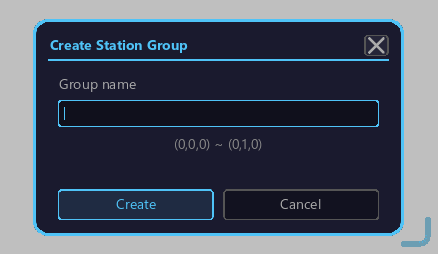
- Right-click the tool → station group save GUI is shown.
- Enter the station group name → Enter to save.
Track numbering modes
At save time, you can choose a track auto-numbering mode:
| Mode | Behavior |
|---|---|
| AUTO | Auto-numbered with inside = track 1 |
| LEFT | Left edge = track 1 |
| RIGHT | Right edge = track 1 |
Station group management
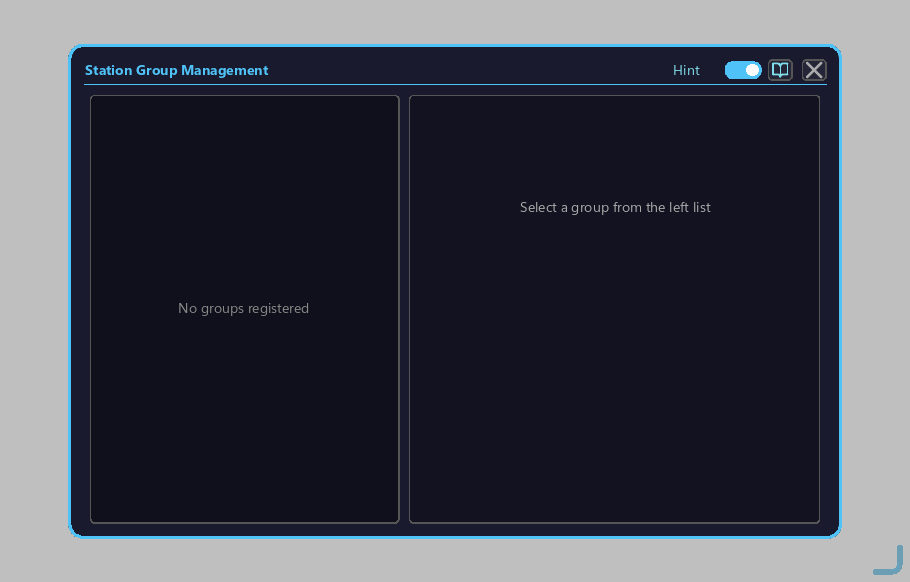
Switch the tool to GUI mode with Alt + mouse wheel, then right-click to open the management GUI, where you can:
- Rename
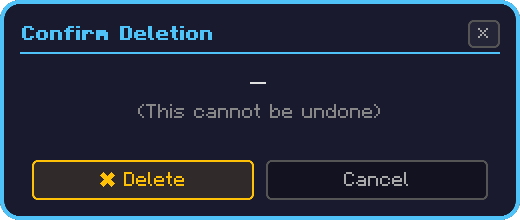
- Delete (with confirmation dialog)
- Check member stations
of a saved station group.
Where station groups are used
- Management Computer Stations Tab assigns a line symbol to the group
- Railway Management Block batch apply applies settings to all in the same group at once
- Share destination (share) for SAS Announcement
- Candidate sale stations for Ticket Vending Machines (chosen from station groups in the Tickets Tab)
- Recognition of stations targeted by automatic ticket gates
- Target of route search for the Transit Terminal (search using station groups as origin / destination)