
Trains Tab
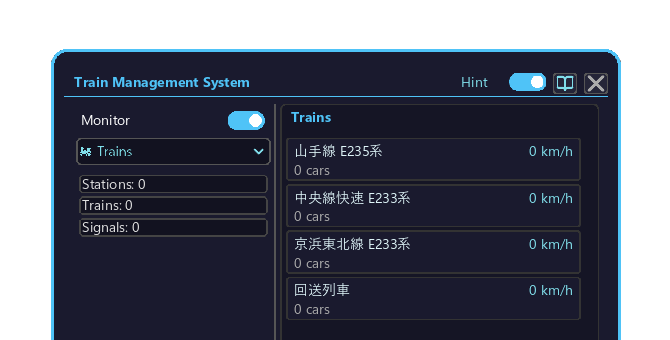
The Trains tab of the Management Computer. List of all trains + detail view.
How to open
- Place the Management Computer block and right-click it to open the screen.
- Click the top-left dropdown and choose "🚂 Trains".
- When there are too many trains to fit the list, turn the mouse wheel over the list to scroll.
Displayed content
| Column | Content |
|---|---|
| Train name | From the Create schedule |
| Car count | Number of coupled cars |
| Current position | Station name or segment in transit |
| Speed | Real-time speed |
| Next station | Next scheduled stop |
| Electrification | Pantograph / FE buffer ON/OFF |
Train detail popup
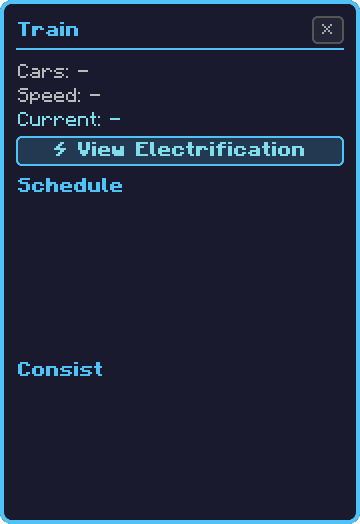
Click a train's row in the list to open a detail popup to the right of the screen (or to the left if it does not fit).
| Info | Content |
|---|---|
| Train name / car count | Basic info |
| Schedule | Current entry and next entry |
| Vehicle composition (3D model) | 3D preview of the consist |
| Electrification | Open the Electrification Detail popup from the "⚡ View Electrification Status" button |
| Line symbol | Assigned symbol |
Controls inside the popup:
- Rotate the 3D model: hold the left mouse button and drag over the model. Hold Shift and drag to translate (pan); mouse wheel to zoom.
- Open electrification status: click the "⚡ View Electrification Status" button in the popup.
- Close: click the ✕ (close) button at the top-right of the popup.
Electrification detail popup
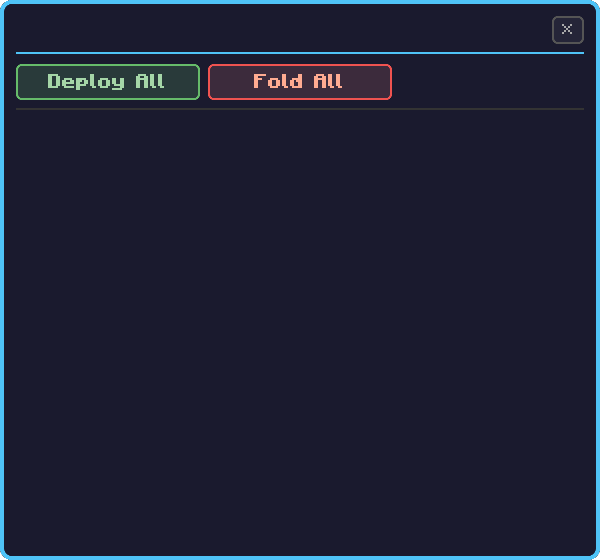
Clicking the "⚡ View Electrification Status" button in the train detail popup opens it overlaid at the center of the screen. It shows the train's FE buffer / pantograph / catenary connection status.
- Buffer capacity + remaining (per car)
- List of cars with a pantograph
- List of cars with an FE inverter
- Currently powered segment / source substation
Controls:
- Raise / lower the pantograph: click the pantograph icon drawn per car in the list to raise/lower that car's pantograph (toggle current collection ON/OFF).
- Close: click the ✕ (close) button at the top-right of the popup (returns to the original train detail popup).
Details: Electrification System